

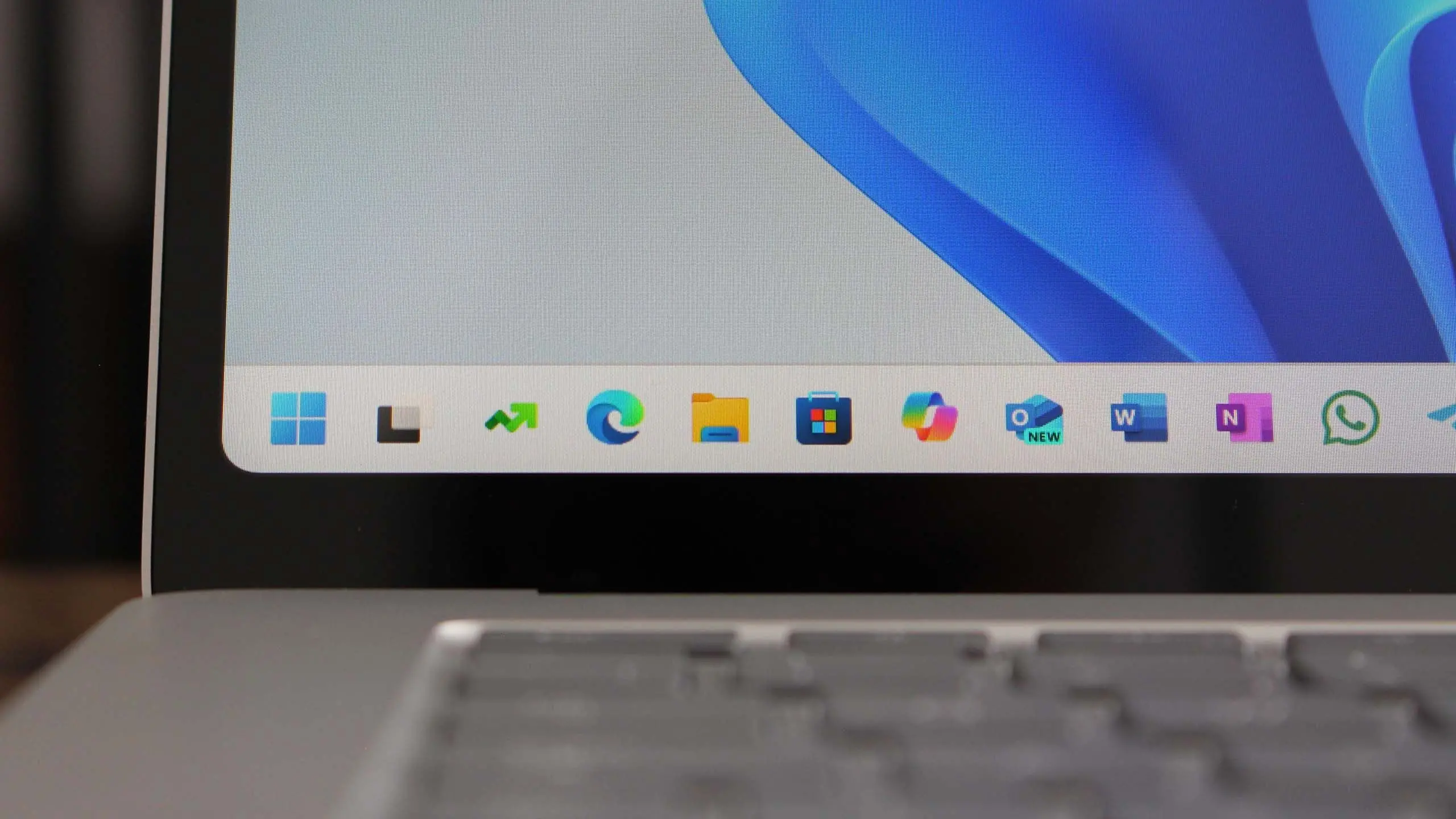
Microsoft's Windows 11 operating system continues to evolve with each new feature update. The upcoming version 25H2, expected to be released in the second half of 2025, promises to be one of the most significant updates since the original launch. Building on the foundations of Windows 11, this release focuses on integrating artificial intelligence more deeply into the user experience, improving performance on a wider range of hardware, and refining the interface that millions of people interact with daily. While Microsoft has not officially confirmed every detail, early preview builds and insider reports provide a clear picture of what users can expect.
Release Timeline and Availability
Windows 11 version 25H2 is anticipated to arrive in late 2025, following the pattern of previous H2 releases. Microsoft typically begins rolling out such updates in October or November, after a period of testing through the Windows Insider Program. The stable release will be delivered via Windows Update to all eligible devices, with staggered deployment to ensure stability. Users who are part of the Release Preview channel may get early access a few weeks before the general rollout. The update will be free for existing Windows 11 users, as long as their hardware meets the minimum system requirements.
Key New Features and Improvements
Enhanced AI Integration with Copilot
The most notable addition in version 25H2 is the deeper integration of Microsoft Copilot, the AI assistant powered by large language models. Copilot will be accessible directly from the taskbar and can perform complex tasks such as summarizing documents, generating images, and troubleshooting system issues. It will also understand context across apps, allowing users to ask questions about active content without switching windows. This represents a shift toward a more conversational and proactive operating system that anticipates user needs.
Redesigned Start Menu and Taskbar
Microsoft is refining the Start menu with a more customizable layout. Users will be able to group pinned apps into folders, choose between different grid sizes, and see recommended files from OneDrive and recent documents. The taskbar receives a long-requested feature: the ability to drag and drop files onto taskbar buttons to open them in specific apps. Additionally, the system tray is being simplified, with a cleaner notification area and more intuitive control over quick settings like Bluetooth and Wi-Fi.
Improved ARM Support
With the growing popularity of ARM-based devices like the Surface Pro X and new laptops from various manufacturers, Windows 11 25H2 includes significant improvements for ARM emulation. Microsoft promises better performance for x86 and x64 applications running on ARM processors, closing the gap with native apps. The update also adds native support for more developer tools and frameworks, making it easier for developers to create ARM-optimized software. Battery life on ARM devices is also expected to improve thanks to more efficient power management.
Security Enhancements
Security remains a top priority. Version 25H2 introduces a new security dashboard that provides a unified view of the system's protection status. It includes real-time alerts for potential threats, recommendations for hardening the system, and easier access to Windows Security settings. Microsoft is also expanding the use of virtualization-based security (VBS) and hypervisor-protected code integrity (HVCI) to more hardware configurations, even on older CPUs that meet the minimum requirements. Additionally, the update improves phishing protection in Microsoft Defender SmartScreen, now blocking malicious websites and downloads more effectively.
Performance and System Optimization
Under the hood, Windows 11 25H2 brings several performance tweaks. The operating system reduces memory usage by up to 15% on idle systems, thanks to better memory management and compression. Boot times are shorter due to optimized startup processes, and app launch speeds are improved for frequently used programs. Microsoft has also overhauled the update mechanism to reduce the size of cumulative updates, meaning fewer reboots and faster installation. For gamers, the update includes support for DirectX 13, which promises better graphics rendering and lower latency, though it requires compatible graphics hardware.
System Requirements and Compatibility
The fundamental system requirements for Windows 11 remain the same as the original: a 64-bit processor with at least 1 GHz speed and two or more cores, 4 GB of RAM, 64 GB of storage, a DirectX 12 compatible graphics card, and a UEFI with Secure Boot and TPM 2.0. However, with version 25H2, Microsoft is slightly expanding the list of supported CPUs to include some newer Intel and AMD chips that were previously excluded. The exact list will be published closer to release. It is recommended that users check their device compatibility using the PC Health Check app before attempting to install the update.
How to Prepare for the Update
To ensure a smooth transition to Windows 11 version 25H2, users should take a few steps in advance. First, back up important files to an external drive or cloud storage. Second, ensure that the system is running the latest version of Windows 11 (preferably 24H2) to receive the update through regular channels. Third, free up disk space by cleaning temporary files and uninstalling unused applications. Finally, review privacy settings and customizations, as the new version may reset some preferences. IT administrators in organizations should test the update in a staging environment before deploying it broadly.
While Microsoft has not yet released the final build, the Windows Insider Program continues to provide preview versions that give a glimpse of what is to come. Early adopters can join the Dev or Beta channels to experience the new features before the public release, but they should be prepared for potential bugs and instability. The final version of Windows 11 25H2 will be a free update for existing Windows 11 users and will also be available as a clean install for new devices. As the release date approaches, more details will emerge, but the core enhancements outlined here represent the most impactful changes coming to Microsoft's flagship operating system.
Source: Windows Central News