

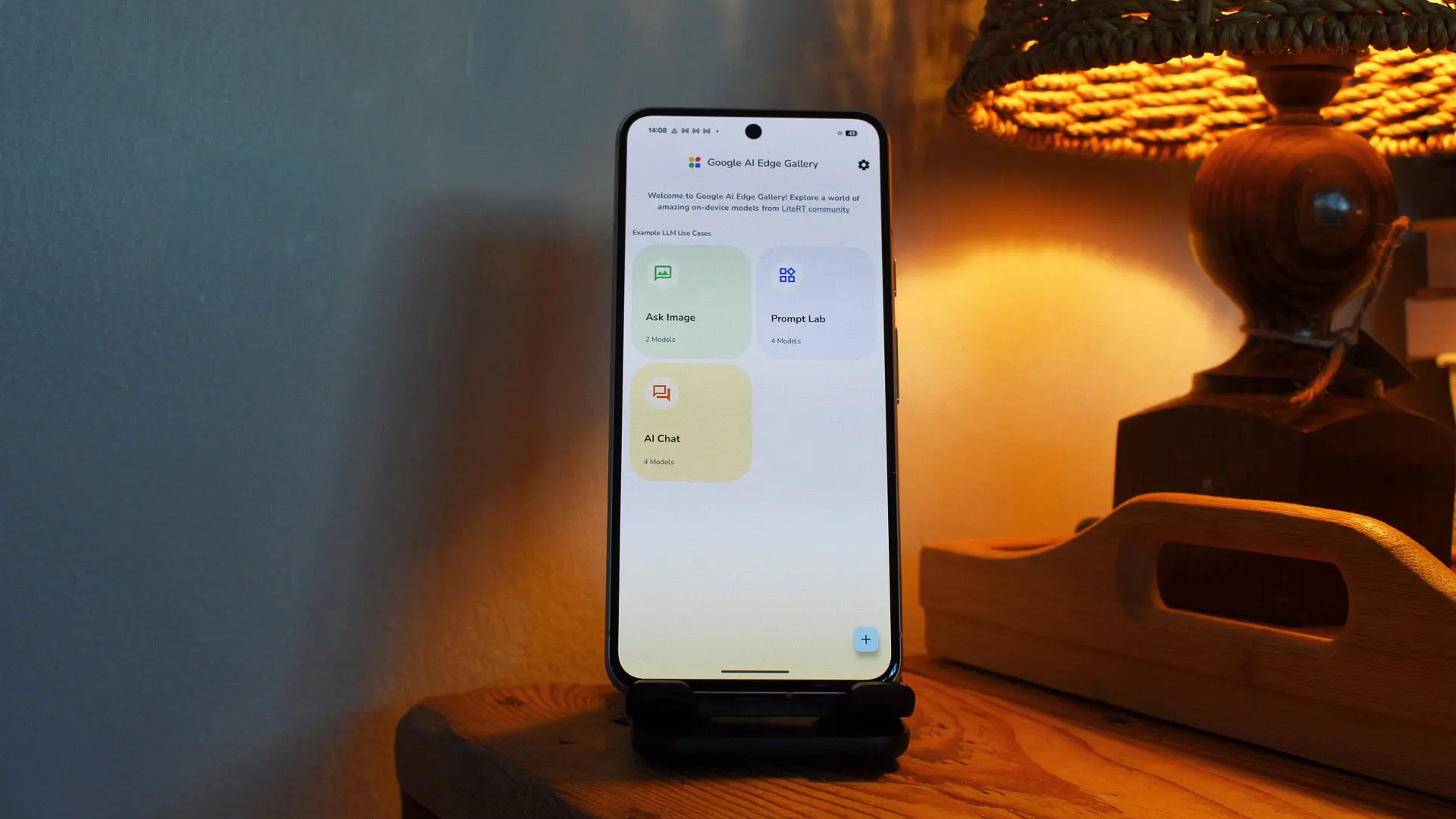
Google’s AI Edge Gallery app, designed to run artificial intelligence models directly on your device without requiring a constant internet connection, has just received a significant upgrade. The update, unveiled at the company’s annual I/O developer conference, introduces three key features: persistent chat history, notification-based reminders, and support for the Model Context Protocol (MCP). Together, these additions transform the app into a more practical and versatile tool for users who prioritize privacy and offline capabilities.
What is AI Edge Gallery?
Launched as part of Google’s broader push toward on-device AI, AI Edge Gallery allows users to download and run a variety of machine learning models locally. Unlike cloud-based AI services that send data to remote servers, Edge Gallery processes everything on the phone, reducing latency and ensuring that sensitive information never leaves the device. This makes it an attractive option for privacy-conscious individuals and for use cases where internet connectivity is unreliable or unavailable.
The app leverages Google’s Gemma family of models, which are optimized for mobile and edge devices. Gemma models are lightweight yet capable, enabling tasks such as text generation, summarization, question answering, and even simple image analysis. With the new updates, Google aims to close the gap between on-device AI and cloud-based assistants like Gemini, which already benefit from extensive ecosystem integration.
Three Key Features
1. Persistent Chat History
One of the most requested features, chat history, is now available in AI Edge Gallery. Users can resume previous conversations without losing context, including any media generated during the session. This continuity is crucial for tasks like drafting emails, brainstorming ideas, or conducting multi-step research where you might need to refer back to earlier outputs. Previously, each session started from scratch, limiting the app’s usefulness for extended projects.
The chat history is stored locally on the device, ensuring that your data remains private. You can review old conversations, delete specific entries, or clear the entire history at any time. This feature mirrors the functionality found in cloud-based chatbots like ChatGPT or Google Gemini, but with the added benefit of offline availability.
2. Notification Reminders
The notification reminder feature brings a proactive element to the app. You can now instruct the AI to send you local notifications at specified times. For example, you might say, “Remind me to log my mood every night at 10 PM.” When the notification appears, tapping it launches the app directly into the appropriate tool — in this case, a mood tracking session powered by Gemma 4.
Beyond mood tracking, this feature can be used to create daily routines. You could set a morning prompt that asks about your schedule, checks your calendar, and provides a brief overview of the day ahead. Since everything runs on-device, these reminders work even without an internet connection, and they don’t rely on cloud-based notification services that might compromise privacy.
Google suggests that users can combine reminders with other MCP-connected services. For instance, a reminder could trigger a check of your email for upcoming bills or an update on traffic conditions via Google Maps. The AI can then present the information in a concise digest, helping you stay organized without manual effort.
3. Model Context Protocol (MCP) Support
The most technically significant addition is support for the Model Context Protocol, an open-source standard that allows on-device AI models to interact with external apps and services. MCP acts as a universal bridge, enabling your local AI to query data from cloud-hosted servers or even systems running on your home network.
In practical terms, this means you can connect AI Edge Gallery to Google Workspace — such as Gmail, Google Calendar, and Google Drive — so your on-device assistant can check your schedule, retrieve important emails, or search for documents. You can also connect to Google Maps MCP to ask about points of interest, travel times, or nearby restaurants. Additionally, a web MCP allows the AI to fetch content from URLs, making it possible to retrieve news articles or documentation on demand.
Google has positioned MCP as an open protocol, meaning that third-party developers can create their own servers. This opens the door for integrations with productivity tools, smart home devices, and other services. Because the MCP server can run locally on your home computer, you retain full control over your data — no third-party cloud intermediary is required.
Background and Context
The rise of on-device AI is a direct response to growing concerns about data privacy and the environmental impact of large-scale cloud computing. Major tech companies, including Apple, Samsung, and Google, have been investing heavily in small language models (SLMs) that can run efficiently on smartphones and tablets. Google’s Gemma models, which power AI Edge Gallery, are part of this trend.
Google I/O 2025 (the conference where these features were announced) has historically been a platform for showcasing advancements in AI, and this year was no exception. The search giant emphasized its commitment to making AI accessible and private, contrasting with competitors that rely more heavily on cloud processing. The addition of MCP is particularly notable because it solves a key limitation of on-device AI: the inability to access real-time or personalized data without sending it to a remote server.
By adopting an open protocol, Google is also fostering an ecosystem where developers can build custom integrations. For example, a developer could create an MCP server that connects the AI to a personal database, a weather API, or even a home automation system. This flexibility could make AI Edge Gallery a central hub for on-device intelligence, similar to how smart assistants like Alexa and Google Assistant operate — but with far greater privacy guarantees.
Comparison with Competitors
Apple has introduced on-device AI features through its Core ML framework and the Neural Engine, but these are primarily focused on system-level tasks like photo editing and text prediction. Third-party apps have limited access to the underlying models. Samsung’s Galaxy AI offers on-device capabilities such as live translate and note summarization, but it does not provide a general-purpose platform for running custom models.
Google’s AI Edge Gallery stands out because it allows users to download and run a variety of models, not just those pre-installed by the manufacturer. This flexibility, combined with MCP support, gives it a unique position in the market. The inclusion of chat history and reminders further bridges the gap between on-device AI and more mature cloud-based assistants.
However, there are still limitations. The app currently only supports Gemma models, and performance depends heavily on the device’s hardware. High-end phones with dedicated AI accelerators will naturally offer a smoother experience. Additionally, MCP requires users to set up servers, which may be a barrier for less technical users. Google has not yet announced a simplified setup process.
Real-World Use Cases
The combination of chat history, reminders, and MCP support enables several compelling scenarios:
- Personal Productivity: Use the AI to maintain a daily journal, track habits, and manage to-do lists. Reminders can prompt you to review your goals, while chat history keeps your reflections accessible.
- Travel Planning: Connect to Google Maps MCP to ask about nearby attractions, check traffic to the airport, or compare hotel options. The AI can aggregate information from multiple sources and present it in a single conversation.
- Health and Wellness: Set up a nightly mood log reminder. Over time, the AI can analyze patterns in your entries and offer insights — all without sending sensitive health data to the cloud.
- Information Retrieval: Use the web MCP to ask the AI to summarize a long article or extract key points from a URL. This is particularly useful when offline, as the content is fetched and processed on your own network.
- Home Automation: If you host an MCP server on a home computer, you could connect it to smart home devices. For instance, you might ask the AI to adjust the thermostat or check security camera feeds, all while keeping commands private.
Privacy Considerations
Privacy remains a central selling point for AI Edge Gallery. All processing happens on the device, and chat history is stored locally. MCP connections can be configured to use local servers only, ensuring that no data leaves your control. Google has also emphasized that the app does not send usage statistics or model interactions to its servers, unlike some cloud-based alternatives.
That said, users should be aware that if they choose to connect to a cloud-hosted MCP server (for example, a public weather API), that service will receive the queries. However, the AI model itself never sends raw data to Google — only the MCP server receives specific, anonymized requests. This gives users granular control over what information is shared.
Google has also implemented on-device encryption for stored conversations, and the app respects Android’s standard permission system. For example, accessing location-based features through MCP requires explicit user consent and activation of location services.
Future Directions
The updates announced at I/O suggest that Google sees AI Edge Gallery as a long-term platform. The addition of MCP mirrors similar moves in the industry toward open standards for AI interoperability. We can expect further integration with Google’s ecosystem, such as support for Google Photos, Drive, and even third-party apps like Spotify or Slack via MCP.
There is also speculation that Google will eventually bring these features to its desktop operating system, ChromeOS, allowing users to run on-device AI on laptops. The same Gemma models that power the Android app can be compiled for other platforms, and MCP’s cross-platform nature would make such a transition seamless.
As the capabilities of on-device AI continue to expand, the line between local and cloud-based intelligence may blur. But for now, Google’s AI Edge Gallery stands as a powerful testament to what can be achieved when privacy and functionality are given equal priority.
Source: Android Authority News